
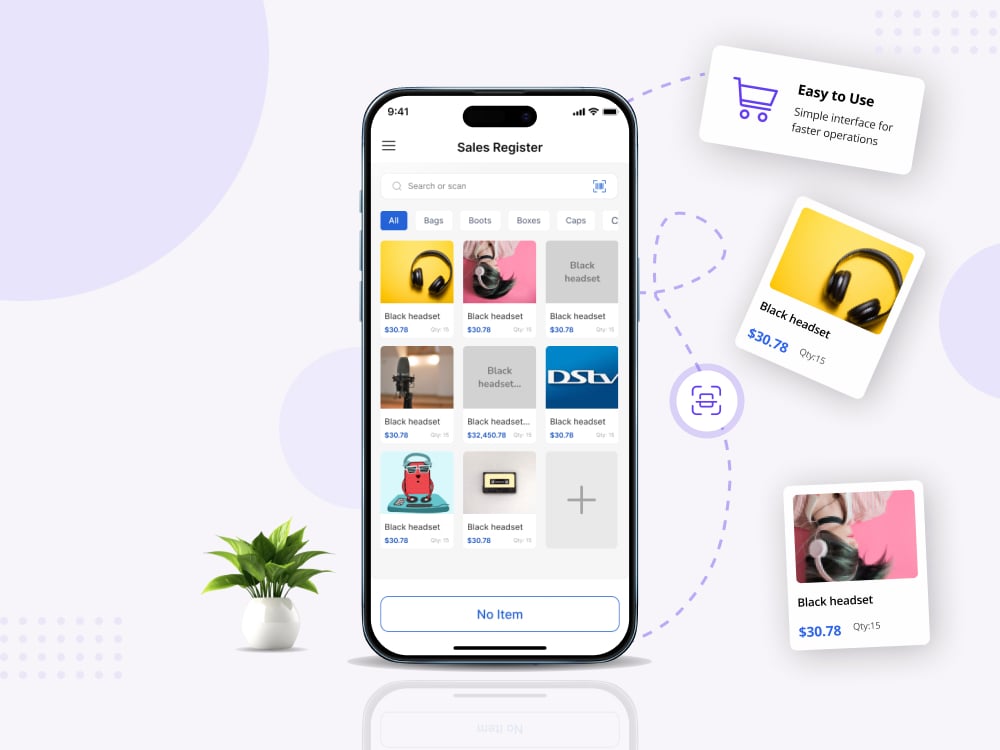
Custom POS App for Retail & Restaurant Merchants
One register that runs on a phone, a tablet, a browser and a Windows or macOS till. Barcode scanning, thermal receipt printing and 64 currencies, wired into the Vencru platform.
01The challenge
The same till, in a market stall and on a shop floor
A register lands on wildly different hardware. Six separate apps was never on the table, and neither was one layout stretched across all of them.
Two form factors, not one
Checkout had to feel native on a portrait phone and a landscape desktop till.
Whatever printer they own
Receipts print to Bluetooth, BLE, USB and network thermal printers, all needing support.
Their own currency
Every price, tax line and total had to render the correct symbol rather than defaulting to dollars.
One surface on a platform
Products, clients, taxes and invoices had to stay in sync with the existing Vencru API.
Counters lose connectivity
A register that fails silently when the Wi-Fi drops costs the merchant the sale.
02What we built
One codebase, two layout families, six build targets
Every screen exists as a mobile and a desktop variant sharing one controller, so logic is written once and each layout is authored properly.
Register core and responsive shell
Paginated products, search, cart maths, behind a shell that locks phones to portrait and desktops to landscape.
Checkout, clients and receipts
Cart review through payment to invoice creation, client capture, and receipts as A4 PDF and 58mm thermal.
Printers, settings and packaging
Printer discovery over four transports, tax and currency settings, then Inno Setup and DMG desktop builds.
Beamer drives URL addressable routing across 37 routes, so the web build has shareable URLs and the desktop builds get proper back button behaviour.
03In the app
One register, whatever is on the counter
The same checkout, authored twice so it fits both shapes properly.
A merchant scans, adds, takes payment and prints. Which device they are standing at only changes the layout, never the flow or the numbers.
01Paginated sales register
Products and categories load page by page with search, so a large catalogue stays responsive.
02Scanning at four points
Register search, add item form, product not found, and the desktop panel, so a code finds or creates the item.
03Six payment methods
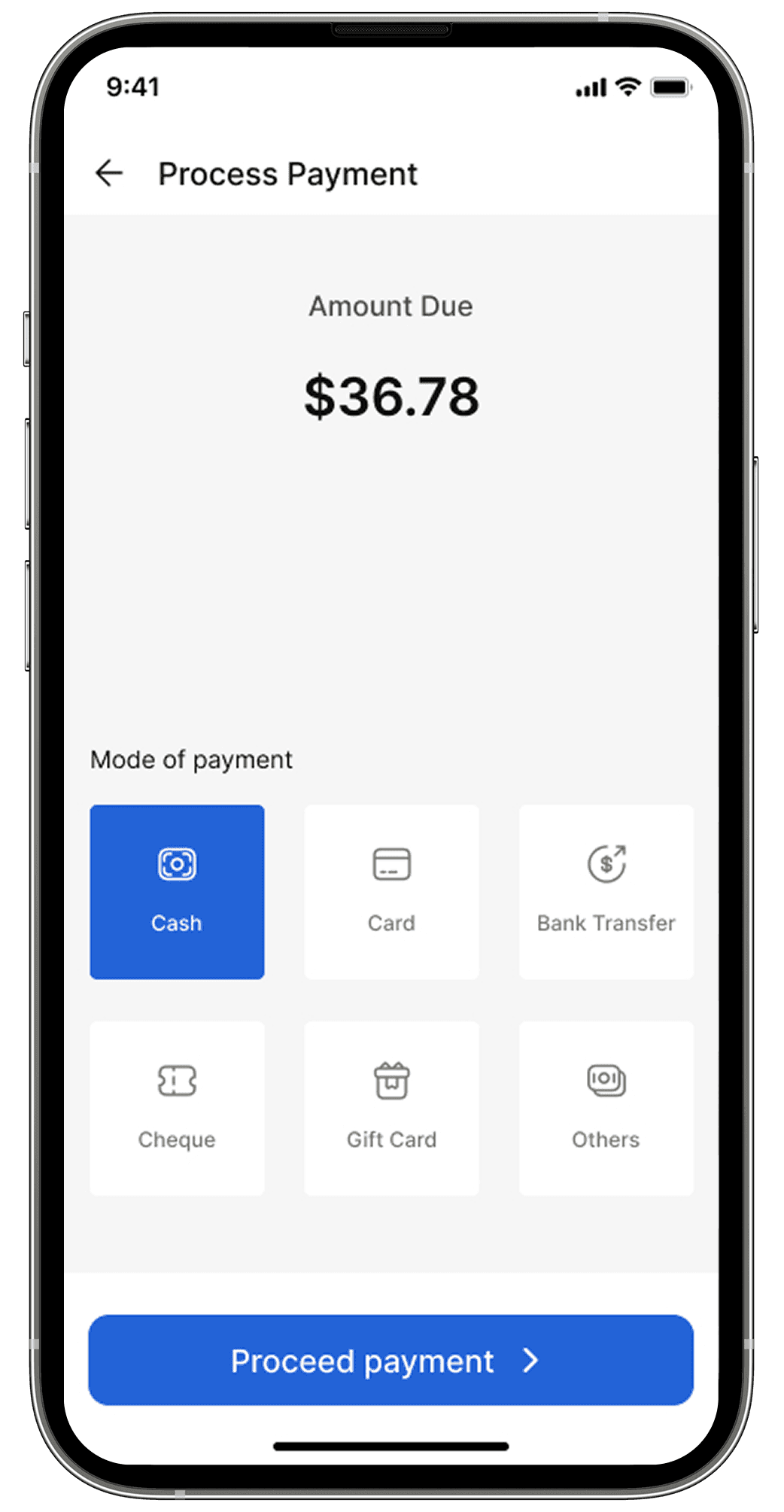
Cash, card, bank transfer, cheque, gift card and other, with change calculated before the invoice is written.
04Thermal receipt printing
58mm ESC/POS over Bluetooth, BLE, USB and network, with discovery and reconnect handling.
05A4 PDF receipts
Separate mobile and web implementations, so the same receipt prints, saves or emails from any build.
06Clients at the counter
Search existing clients or add one with addresses, country aware phone validation and contact import.
07Currency and tax settings
64 currency symbols, plus full create, edit and delete for tax rates applied per line item.
08Connectivity monitoring
A dedicated no internet state on every major screen, with English and French translations.
09Deep links into the platform
Back office, inventory, customers, team and plans, so the POS stays a register and the product stays one tap away.
04The instance
Vencru POS, as it ships
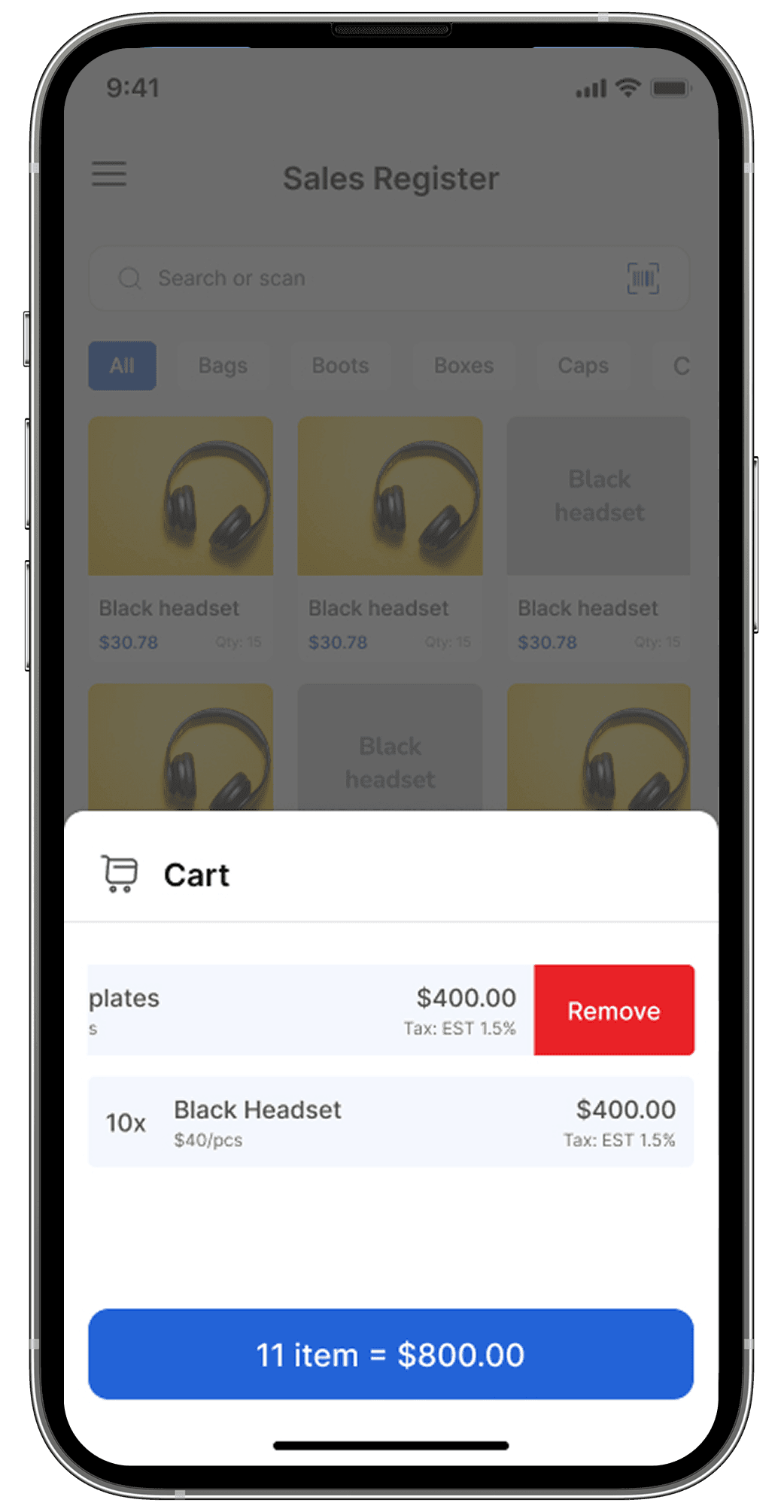
Two screens from the register: the cart under review, then payment.
Cart review keeps quantity, price and per line tax visible, with a one tap remove on every row before checkout.
Payment splits across six modes, cash to gift card, so the till matches whatever the counter actually takes.
05Stack
Flutter across six targets, over the Vencru REST platform
One service layer, so no screen owns its own networking.





06Results
A production register, packaged for every counter
Six targets from one project, each built rather than resized.
Build targets from one Flutter codebase
Dart files across 88 screen and 43 widget files
Vencru REST endpoints through one service layer
Named routes wired through 8 Beamer groups
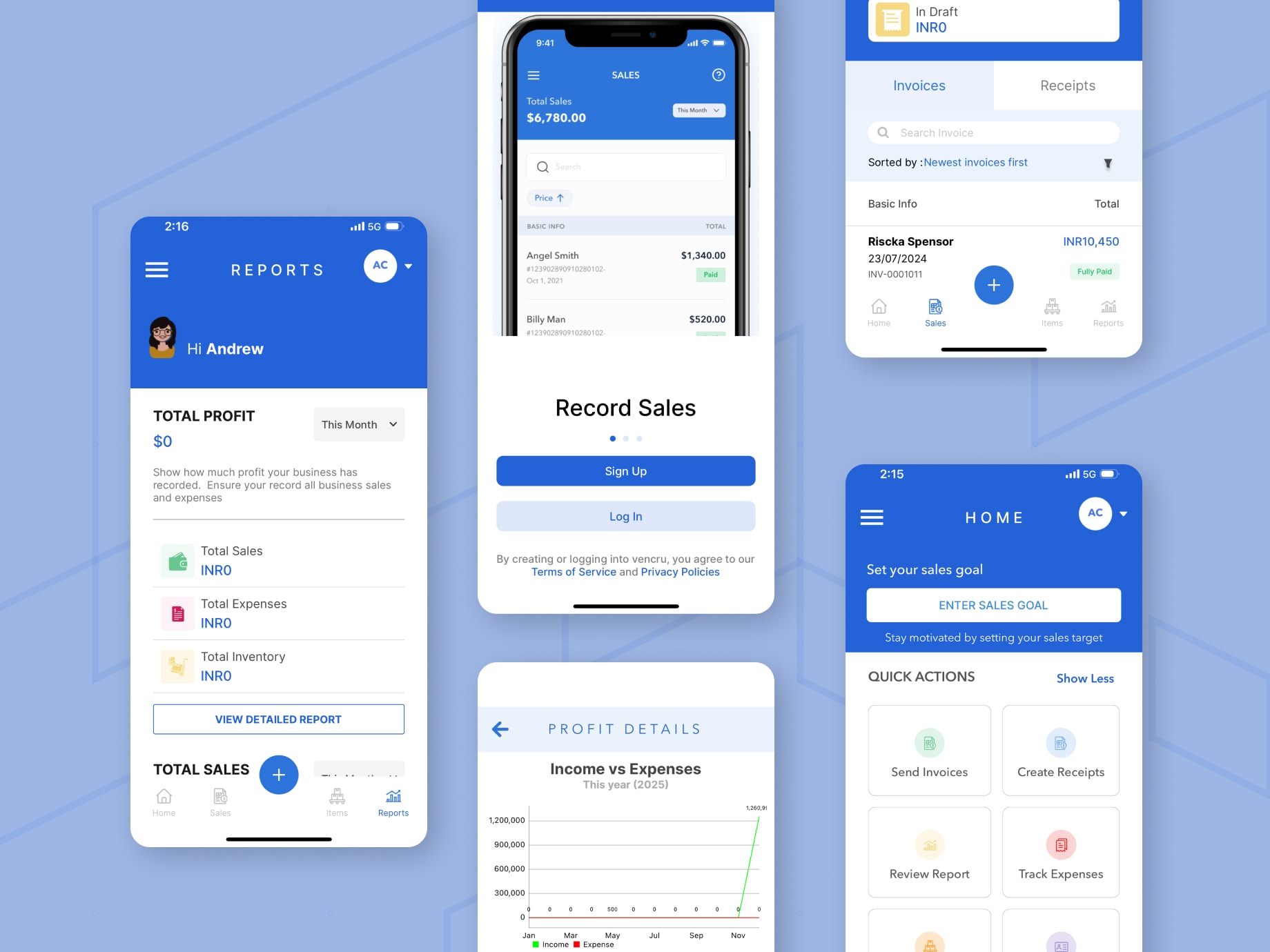
Turn your device into a powerful point of sale system. Streamline your retail operations, manage inventory, track sales and access powerful analytics, all in one place.
Vencru Inc., Vencru POS on Google Play
Published by Vencru Inc. and actively maintained
Correct symbol on every price, tax line and total
Bluetooth, BLE, USB and network ESC/POS support
Let's put your product on every screen your customers use.
Tell us the hardware your users work on and we'll ship one codebase across phone, tablet, web and desktop, peripherals included.
Start a project